Free with your RAMS account
Tools
RAMS gives users free access to:
501(k) Review Time calculator
FDA Product Classification Lookup and
Government Fee Finder tools.
1. 510(k) Review Time Calculator:
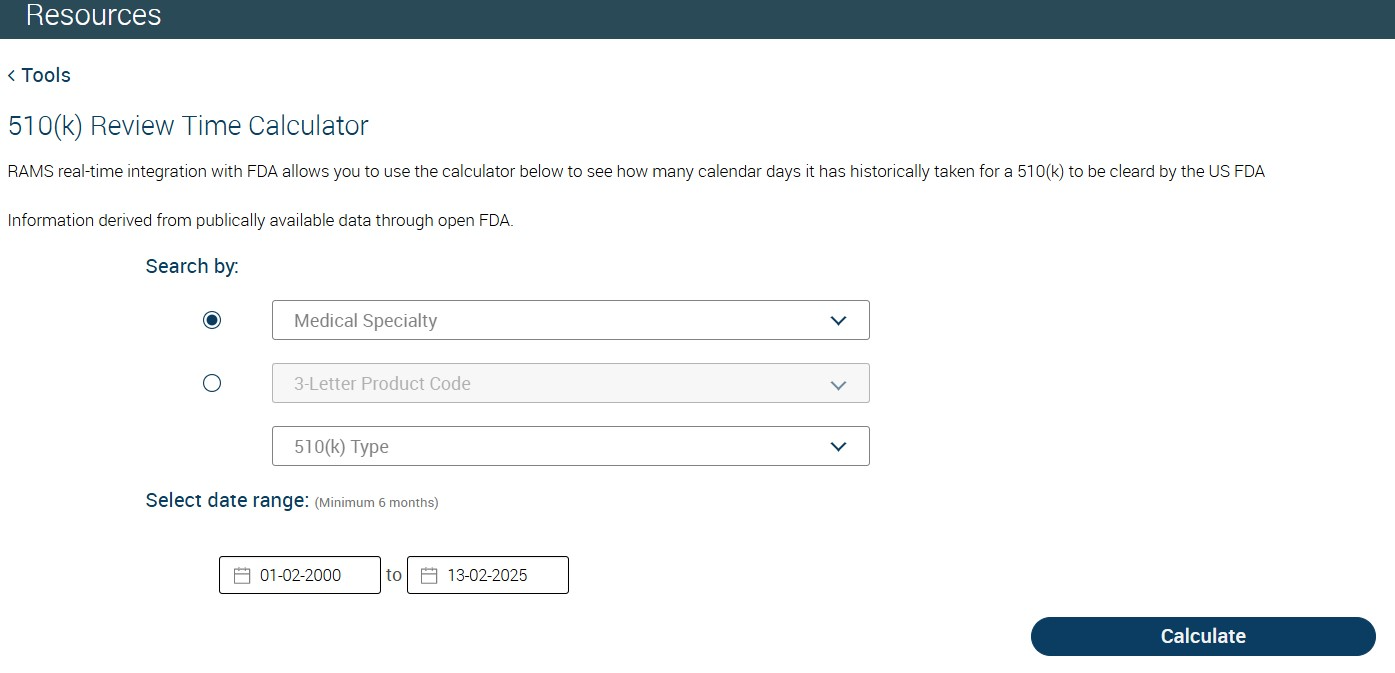
Real-time integration with the FDA allows you to calculate, how many calendar days, historically it has taken for a 510(k) to be cleared by the US FDA.
Estimate the time needed to secure FDA 510(k) clearance based on the type of product.
Information derived from publicly available data through open FDA.
To determine 510(K) Review Time:
Go to Resources -> Tools -> 510(k) Review Time Calculator and click on "Get Started"
Select either "Medical Specialty" or "3 Letter Product Code" from respective drop down lists and 510(K) type.
Select the date range and click on "Calculate" button.
Figure: 510(k) Review Time Calculator
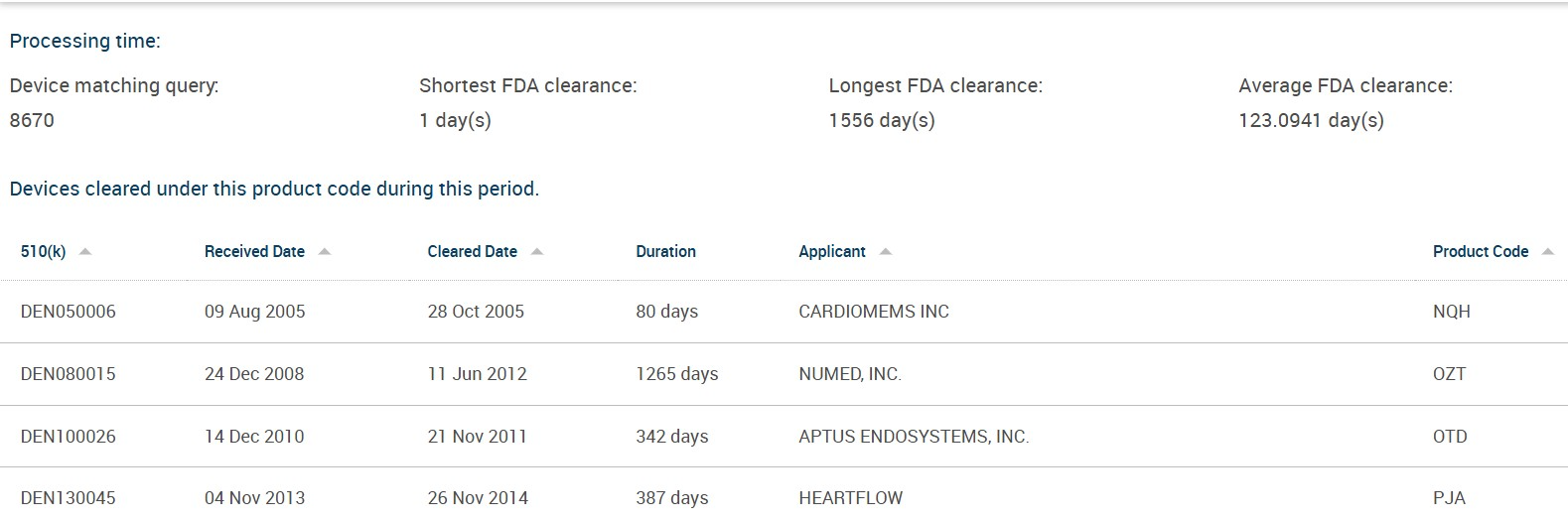
The results will be displayed in the tabular form
Figure: 510(k) Review time results based on the search criteria
2. FDA Product Classification Lookup tool:
RAMS real-time integration with FDA allows you to check for product's classification by the FDA.
To look up product classification
Go to Resources -> Tools -> 510(k) Review Time Calculator and click on "Get Started".
Click on “Get Started” to initiate product classification look up.
Product classification can be looked up based on either “Product Name” or “3 Letter Product Code”.
Figure: Classification Lookup
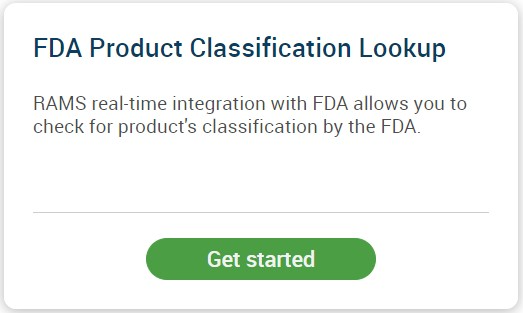
Figure: Classification look up based on Product Name/Product code
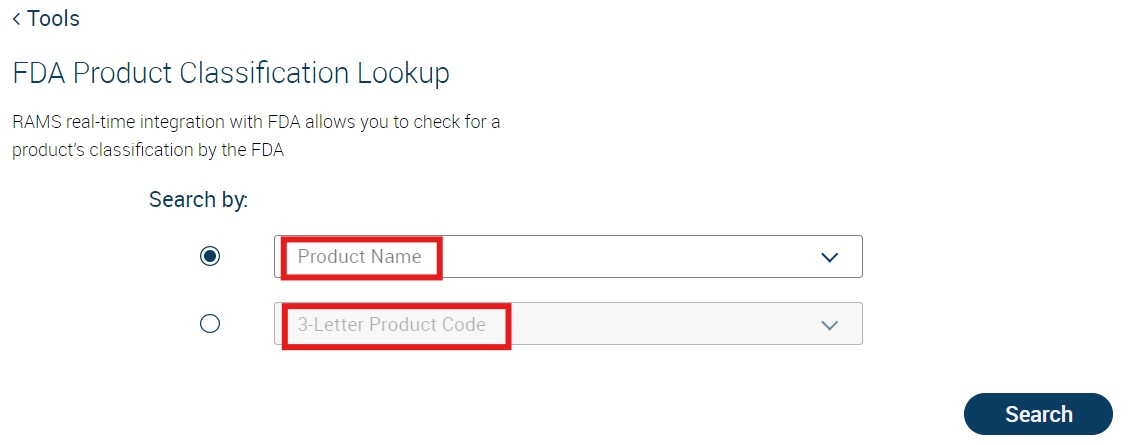
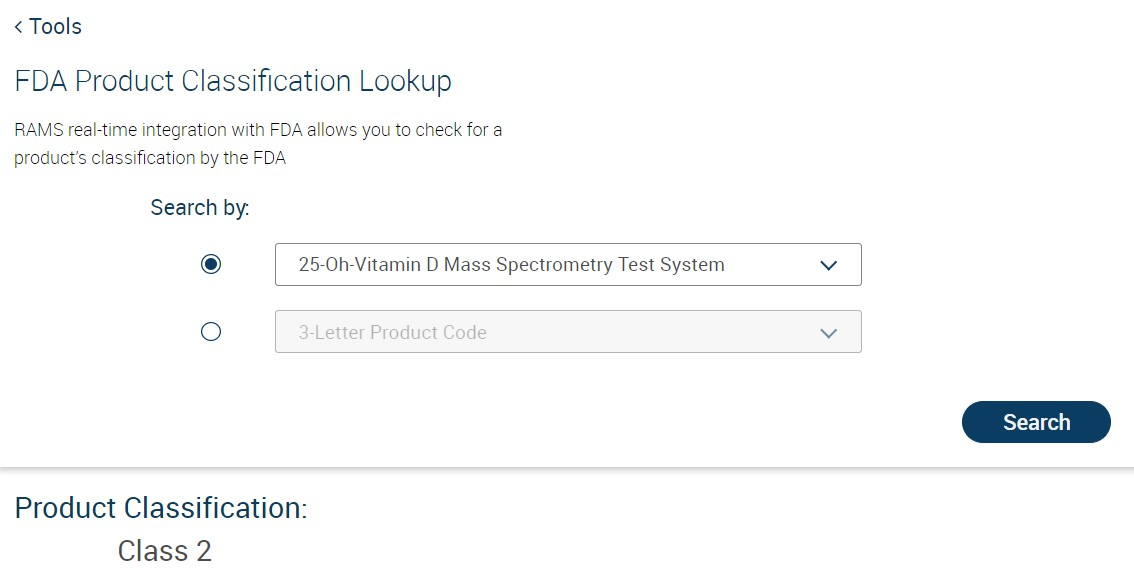
Based on product name, respective classification will be fetched from FDA and displayed.
Focus: Classification Look up based on Product Name
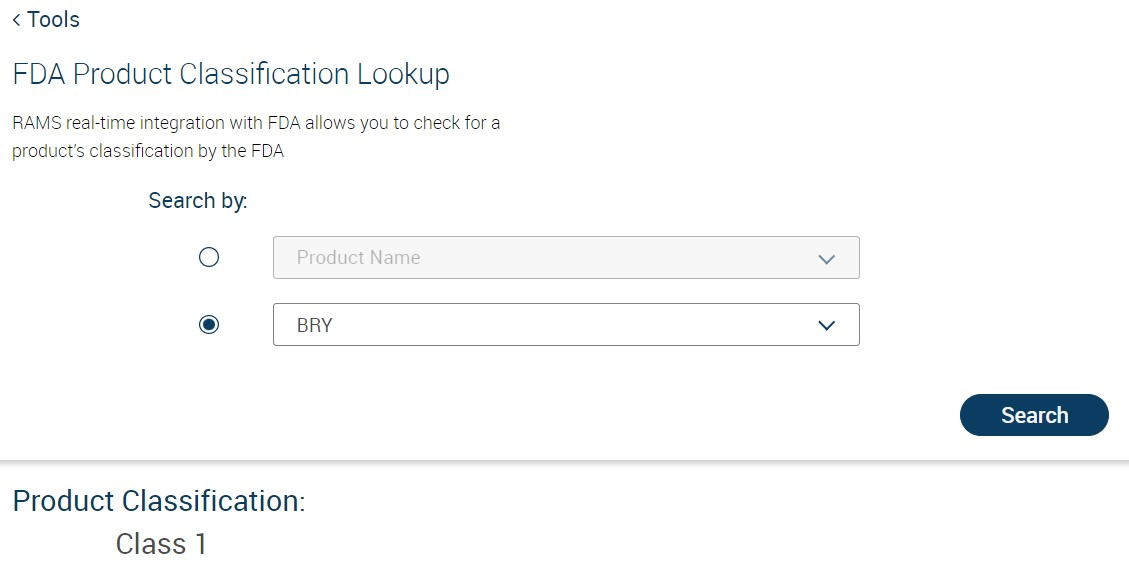
Based on product code, respective classification will be fetched from FDA and displayed.
Focus: Classification Look up based on Product Code
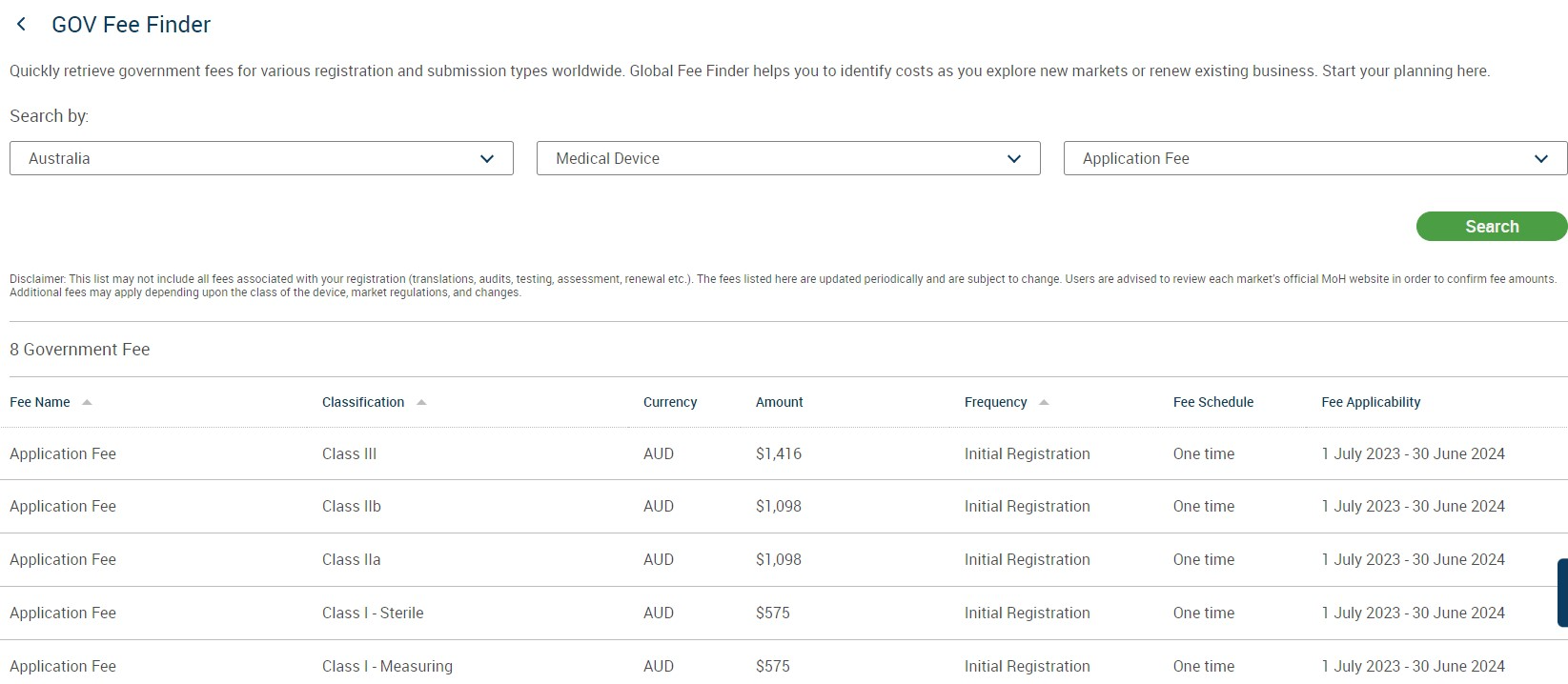
3. Government Fee Finder:
Government Fee Finder identifies government filing costs when expanding into new markets or while renewing for existing business.
To access the Government Fee Finder:
Go to Resources -> Tools -> 510(k) Review Time Calculator and click on "Get Started".
Select the Country, Device Type and Fee Type
Click Search to view all applicable related fees
Figure: Government Fee Finder


Government fees for each classification of selected country will be displayed.