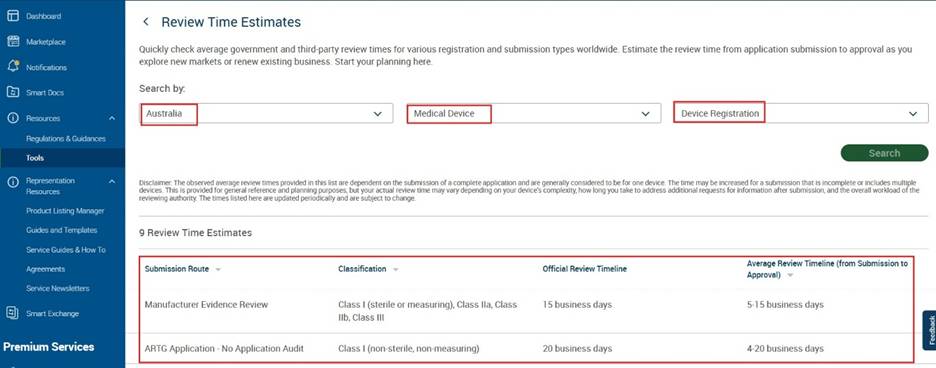
Navigation to Review Time Estimates:
- Click on “Tools” menu in the left navigation.
- Click on “Get started” in “Review Time Estimate” widget.
Figure: Navigate to “Review Time Estimates”
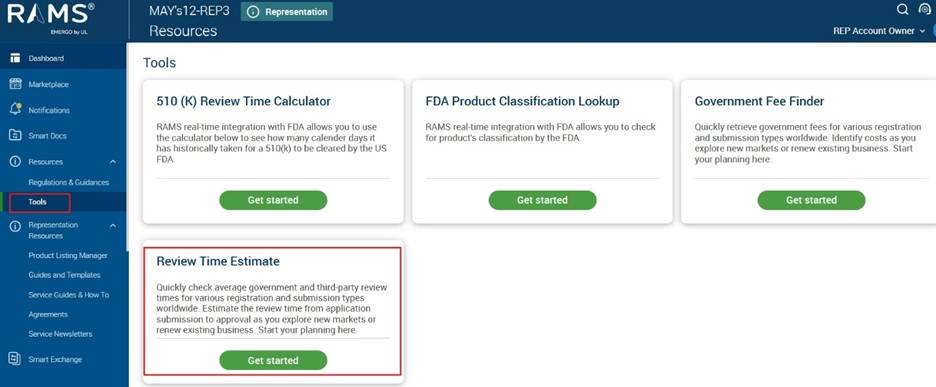
Search and view Review time estimates:
- Select the following criteria and click on “Search”
- Market
- Device Type
- Submission Type
- Results based on search criteria will be displayed with details of “Submission Route”, “Classification”, and “Timelines”.
Figure: To search and view review time estimates