Navigation to Service Newsletters:
- Click on “Service Newsletters” in the left navigation bar.
- Newsletter(s) related to Representative client’s respective market(s) will be displayed.
- If a newsletter of respective market(s) is also applicable to other markets, it will also be displayed.
- Click on the “Download” button to download the newsletter.
Figure: To view and download service newsletters in the dashboard.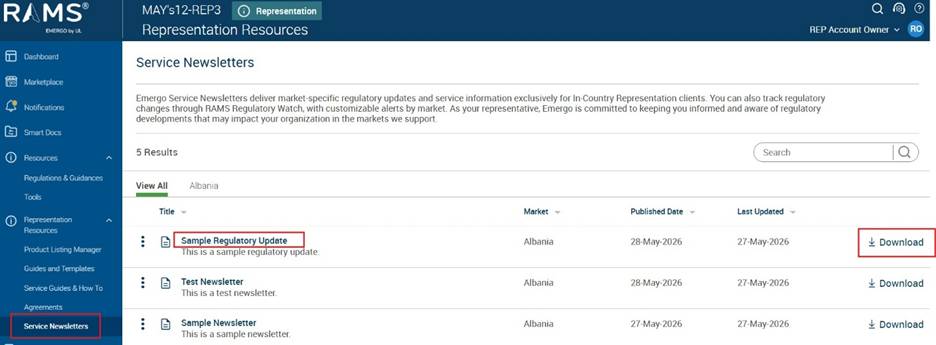
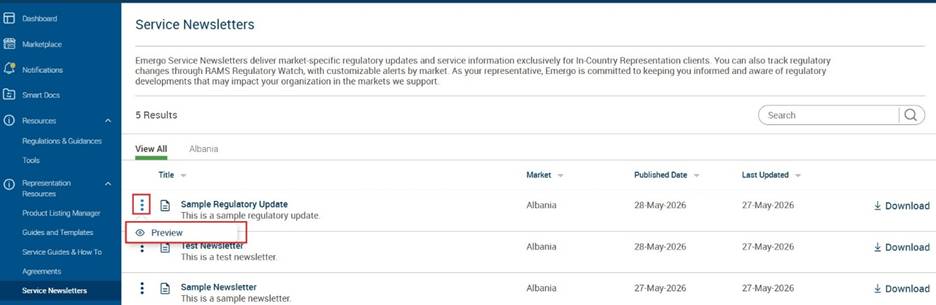
Preview Newsletter:
- Click on the 3 dots menu and click on “Preview” to preview the newsletter.
Figure: To preview newsletter